

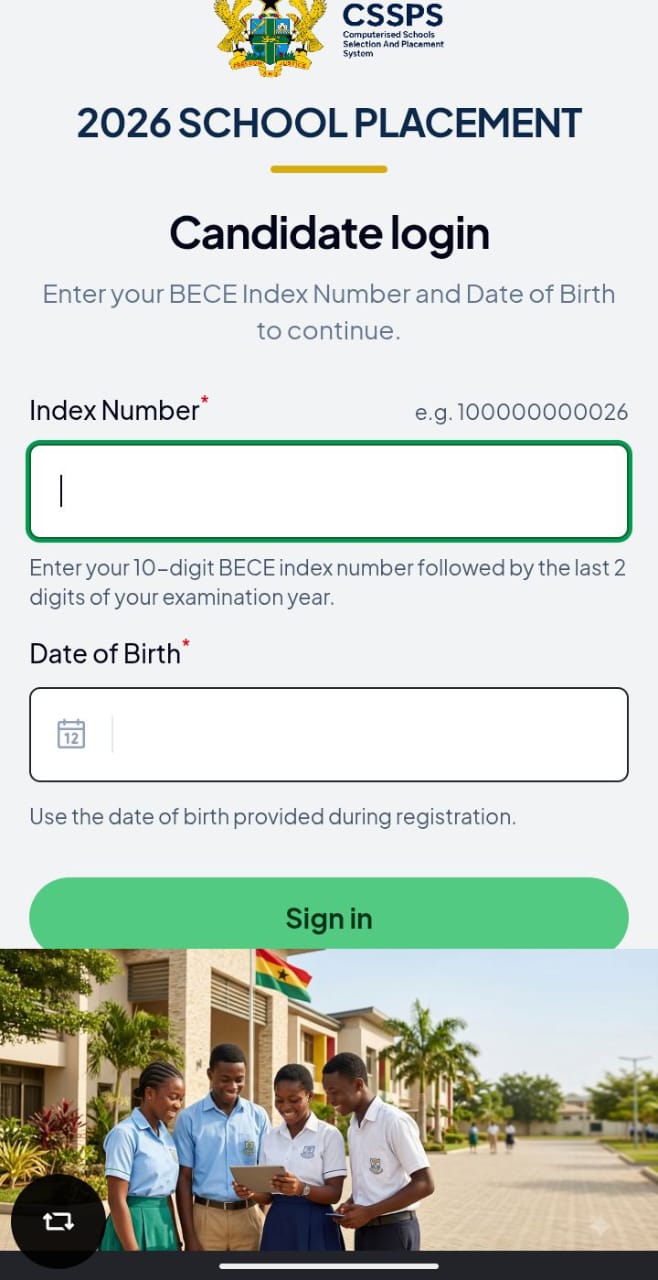
If you are trying to buy SHS Placement Checker Card in town for GH₵30 or GH₵40, stop. You are paying double. GES has made it simple now. You can buy the checker yourself on your phone with MoMo for just GH₵15. No need to go to internet cafe. Many graduate and parent now buy shs placement checker using MTN MoMo in less than 2 minutes. Here is how you do it for 2026/2027 placement.
How Much is SHS Placement Checker in 2026?
Official price is GH₵15 for one checker. One checker allows you to check 3 times. After 3 checks, it expires and you need to buy new one. So don’t keep checking same index number 10 times. Don’t buy from someone on WhatsApp selling for GH₵50. It’s the same GH₵15 PIN.
Method 1: Easiest, Buy Directly on CSSPS Portal (Recommended)
This works for MTN, Telecel and AirtelTigo.
- Go to https://cssps.gov.gh, this is the official GES site
- Click on “Buy Checker” or “Buy E-Voucher”
- Select Placement Checker
- Enter your full name and phone number, the PIN will be sent to this number, so enter correct number
- Select payment method: MoMo
- Enter quantity: 1
- Click Pay, you will get MoMo prompt on your phone
- Enter your MoMo PIN to approve GH₵15
- Instantly, you will get SMS with Serial Number and PIN. Screenshot it.
That PIN is what you use to check placement.
Method 2: Buy Using MTN MoMo Short Code 170#
If the cssps.gov.gh site is slow (it will be slow on placement day), use this USSD.
- Dial 170#
- Choose 2 – MoMo Pay & Pay Bill
- Choose 2 – Pay Bill
- Choose 1 – General Payment
- Enter Payment Code: 713_2025, If that doesn’t work, use 2026 (GES updates code yearly, try 713 first)
- Enter Amount: 15
- Enter Reference: CSSPS
- Confirm with your MoMo PIN
- You will receive SMS with checker.
If code 713 fails: The best way is still Method 1 on the website. The USSD code changes sometimes.
Method 3: Buy with Telecel Cash or AirtelTigo Money
- Dial 110# for Telecel Cash or 110# for AirtelTigo Money
- Select Pay Bill / Make Payment
- Select CSSPS or enter code 713
- Follow same steps
Or just go to cssps.gov.gh and pay, it accepts all networks.
After Buying, How to Check Placement
After you get your pin:
- Go back to cssps.gov.gh
- Click Check Placement
- Enter your BECE Index Number with year: e.g., 007349291626 (your index + 26)
- Enter Serial and PIN from SMS
- Submit, your school will show
What to Do If You Didn’t Get SMS?
- Check your MoMo transaction SMS, sometimes PIN is inside MoMo message, not separate SMS
- Dial *170#, transaction History, check last payment details
- Still not received? Go to cssps.gov.gh, click “Retrieve Checker”
- Enter phone number you used to buy
Warning; Avoid These Scams
- No one can “change your school” after you buy checker for GH₵200. Only CSSPS Self-Placement can.
- Don’t share your checker PIN with someone on Facebook who says, “I will check for you free”. They will use your 3 chances and finish it.
- Don’t buy printed scratch card at stationery shop for GH₵40, It’s the same GH₵15 code printed on paper.
Bookmark this page. On placement release day in September, the CSSPS site will be very slow from 9am to 2pm. Try checking at 6am or 11pm, it loads fast.
Source: cssps.gov.gh